Showing posts with label seo. Show all posts
Monday, April 16, 2012

How to create articles in proper way and more effective?

0 comments
Creating article is one of the most important to gain traffic, index your website. But creating article doesn’t mean you just need to create articles all you want without the proper way to create it. You should create your articles in a proper way on how article writing works to your website.

how to create articles in proper way and more effective

If you just created your article without knowing how important to your website is, the article will never work at all. But don’t worry, I would give you some important how to write articles effectively.

Every article should contain the following to make your articles more effective
  • Headline – Make your article headline catchy as possible.
  • Introduction – this part you should establish the dilemma that you will be discussing in your article
  • Body – Put all the solutions to the problem that you establish on the introduction part.
  • Conclusion – A brief synopsis of your created article and call the reader to take action.
  • Write with style – take a scenario that you’re stating it to your friend about your article.
When you follow the mention above, you can create your own unique article which Google loved it. Google love to index and show to search engine your article if you have a unique article. Another important in creating articles to make it searchable is to make 200 words because it’s the minimum word. Another important in creating your articles more effective is to put your keywords on your body. Your keyword must be in your title of your article, body, and the last part of your article.

Creating unique and seo friendly articles will build a strong backlinks, gain organic traffic, and earn money online. That’s the unique article works in Internet Marketing. If you followed mention above, you could receive all like backlinks, traffic and earn money.

Hope you learn on how to create articles in a proper way and how to make your articles more effective

Continue reading →
Wednesday, April 11, 2012

SEO Techniques &Methods that all Websites Must Utilize

0 comments
Search engine optimization is very important for website success, and it pays to have your Search engine Optimization plan in place before you start. When your potential clientele do internet searches, they must be able to locate you. In order to obtain as many potential customers as possible, it is therefore vital to have a high search ranking. You can boost Keywords ranking with the following tips.

There are lots of important aspects to Search engine Optimization and you can learn about each one, while specializing in only one or two. There are not enough minutes in a day to get a hold of every SEO technique. You need to focus your understanding on just a few areas and master them fully.

Purchasing a previously used domain name can help you achieve a higher ranking. Search engines give more weight to domain names that have been around for two years or more. You should search for domain names that have been closed to see if they work for you.

Even if your pages, topics and articles are basically about the same topic, you should make the names and titles unique and interesting. Every superfluous word in your title lessens the title’s impact, so keep your article names short. Readers will respond to the first couple of words in the title.

Avoid duplicate content. Google and other search engines penalize for duplicate content.(Check Penalty with Penalty Checker) Try to come up with some unique things to write about and find another audience.

It may sound hard, though setting up Search engine Optimization for your company can be rather easy and uncomplicated. You can start moving up with a basic understanding of Search engine Optimization principles, and a willingness to make some simple changes to your approach. This article will give you a lot of tips that you can try out to make your website climb in the rankings.

Continue reading →
Sunday, April 1, 2012

How does social bookmarking work?

0 comments
There are lots of social bookmarking and social networking sites that we can used to. But do you know how it works, how important social bookmarking and social networking is and does social bookmark used?

Social Bookmarking Sites is Important
Maybe some knows how important social bookmarking submission on SEO but there are some also don't know how important social bookmarking is.


Let me ask you about social bookmarking sites. Do you know some social bookmarking websites? Here are the most common social bookmarking and social networking websites that we commonly see on websites especially in blogs.

1. Facebook Like/Button
2. Twitter
3. Digg
4. Delicious
5. Google Plus (Google +)
6. Reddit
7. Diigo
8. Stumbleupon
9. Linkedin
10. Pinterest

First, let us define what is social bookmarking?


Social bookmarking is the practice of saving bookmarks to a public Web site and “tagging” them with keywords. Bookmarking, on the other hand, is the practice of saving the address of a Web site you wish to visit in the future on your computer.

Your website need to socialize to other websites and social bookmarking and social networking sites helps to socialize your websites. I would like to compare our self to the website. If you have skills and talents, you need to show it to discover your skills and talents to others and being socialize is the key to show it. Websites also need to socialize too, and the social bookmarking and social networkings sites help that since they are lots of users over the internet that can discover your websites.

What is the common mistakes in submitting in social bookmarking and social networking submission?

The common mistakes in social bookmarking submission is the wrong tag, keywords and categories. Websites and yourself is just the same since you need to show your talents in right place. Example, you have talents in singing so you need to show your talents in singing contest instead showing it on dancing contest. And should we bookmark our websites to social bookmarking and social networking sites.


What are the benefits of Social Bookmarking?

  • The fastest way to get your site indexed by Search Engines.
  • Puts you in front of thousands of active Internet users.
  • Generates a lifelong one-way incoming link from authority web sites.
  • Enjoy Viral Marketing, as these links are picked by various blogs, content aggregators etc.
It need to bookmark websites at the right categories, tags, and keywords since to increase the chance to gain traffic and fast indexed in search engines. 

Actually, after I submit my post and article on any social bookmarking sites especially to the popular one. I got a traffic from those social bookmarking and social networking sites and search engines follow. 

Hope I help you understand how important social bookmarking and how social bookmarking and social networking sites works?

Don't forget to leave comments, share, tweets, likes if I help. 


Continue reading →
Thursday, March 8, 2012

Advantages and Disadvantages of Facebook Timeline for Pages

0 comments
Facebook Timeline was first implement to profile page that was launched September 2011. Facebook Timeline  for profile page was announced by the Facebook owner Mark Zuckerberg.


After several couple of months, Facebook Timeline was again implemented to Facebook Group but just the top of the group page which is the cover photo. I don't know if some of the Facebook group doing so. But one of the Facebook Group that I belong changed the cover photo. As a default, some of the members are featured on the top.


Facebook Timeline will be implemented to all Facebook Pages effective March 30, 2011. Facebook awared all Facebook page owners of this update. All Facebook Pages will be automatically convert to the new Facebook Timeline for Pages


Actually, if you will create new Facebook Page now it will automatically implement to the new Facebook Page. So better, to make your own cover photo now for your Facebook Page.


Facebook Timeline for Pages


Facebook Timeline for pages has an advantages and disadvantages for all Facebook Page owners. Some saying that Facebook timeline for pages kill the marketing strategies but maybe we could apply "there's a will there's a way". Now let me share the advantage and disadvantage of Facebook Timeline for pages.


Disadvantage of Facebook Timeline for Page
1. No more custom landing page - you can't create a customized landing page for your page for fans and non-fan
2. Facebook Cover Limitation - not allowed to post contact information and call to action in the picture.
3. Facebook Timeline look fill up - Its look is confusing which may turn off some people to view your page.


Advantage of Facebook Timeline for Page
1. Pining feature - pin important post and it will stay on the top left side of the Facebook Page for seven days.
2. Starring feature - star important post and its box will widen. However, unlike in the Pinning feature, starred posts just stay in place.
3. Messaging feature - fans can now send private message. It would make communicating more faster.
4. Milestone feature - share important events or goals in the business to make closer to your fans
5. Activity are feature - can monitor activities is easier since it's fix in one area.


The most important here is to give your fans a good content that they might interested. They like the page because they want to get an updates. Don't let the fans unlike your page anymore.
Continue reading →
Tuesday, March 6, 2012

SEO Ranking: Coping With Constant Changes!

0 comments
Any website owner would be distressed to see their ranking on the search engines drop overnight. A first reaction might be an urgent call to ask the designer what went wrong. The revolution in business development, internet marketing strategy, new clients and keeping with time constraints are some of the challenges that SEO copes with as well as constant change. So it is indeed important to know about some of the ongoing activities happening on the internet that directly affects SEO ranking.
Google Preview
On November 11, 2010 Google launched a new feature in online search, the Google instant preview. This is the ability to have a glimpse of the web page design on the Google SERP's. Located next to the title in any search result is a "magnifying glass" icon that can be clicked on and a preview of the website pops up.
In terms of SEO, Google preview means there is now a visual representation of individual web design that can impress users through any search results preview. A poorly designed index web page perceived by a user will most likely not be clicked on to be viewed. Changes such as this to a leading search engine becomes a continuous challenge to web designers to catch the user's attention with a simple lay-out scheme.
Best Trends
With differing opinions regarding users searching capability and the best web design SEO practices, it still is possible to ensure that a website ranks high on SERP's. Following are the three best trends that can be applied to increase SEO rankings in these changing times.
  • Social Media Optimization (SMO) - SMO is an internet marketing strategy using social media sites such as Facebook, MySpace, Twitter, YouTube and many others. Using various SMO to communicate products to social media users can greatly help achieved goals to optimize a business website. SMO offers added features like: RSS feeds; sharing buttons; polling tools; functionality for incorporating videos, presentations and images; user ratings and other promotional activities like blogging; comments; ability to participate in discussion groups; and posting personal status updates, all of which can be advantageous for any business internet presence.
  • Real Time Search - This is one of the innovative features added to Google search that began in December 2009. Through this feature, finding the most relevant result is easier since dynamic results are being delivered from many different sources including real-time information. This changed algorithms and Google's gained power over its competitors to offer SEO benefits by: utilizing the latest topical and breaking news to improve SEO; getting feedback to improve business performance; and scan for great ideas on trending topics to start business marketing campaigns.
  • Load Time - As had been predicted, one of the changes that leading search engines implemented and rapidly affected website SEO rankings was the page load time. If any page on a website takes too long to load, a decline in ranking should be expected. Note what Google recommends: that pages should load within 3 seconds or less; it accomplished, high-ranking can be continually enjoyed on this leading search engine. 
By Chris M Hunter 
Continue reading →

SEO Tips for Website Images

0 comments
Several SEO methods can be used in tandem with your image to attract as many visitors to your site as possible.

The File Name should contain Keywords
The first, and an often overlooked step, is to ensure that you have used the keyword for the image inside what you have named the file. This is similar to having made sure that the keyword is in your URL; as having the keywords in the names of these files assists search engines in determining relevancy to searches. Use this method with all images, especially those that are more than just simple decoration. It will help your image appear more often in the results by content search, and in a higher place on the results list. Google suggests that website hosts gather the images into a single folder on the website as opposed to having them strewn about the pages.

Select Relevant Images
The most important thing about your image is that it be relevant to the content of your page. Whether explaining something specific, or serving as a layout enhancement; relevancy to your content is the most important aspect of an image. When an image has been optimized for a search engine, cohesiveness is the key factor that produces results. Having an image on the page that does not tie in with the site is something to consciously avoid. Presenting attractive and relevant images can critically impact your potential customer base via the content. Images attract, and maintain the attention of your visitors, and should serve as an enhancement to the content provided to keep a person engaged. As tempting as it is to have large flashy images, avoid this pitfall. Avoid having a large quantity of images on the site. This can clog the load time of the site, and some visitors will click out of a web-page that doesn't load quickly.

Use Alt Text or Text Tags
Images on the page need to have a title as well as an alternative text tag, ALT Text, to describe it. While the qualities of the image should be able to be extracted from the content of the page, having these two pieces of information can serve a reverse purpose. Studies show casual surfers are drawn to the images of a page when first reaching it. Having an informative title coupled with quality descriptive text can make those who are just surfing interested enough to read the rest of the page. If the image is a navigational tool that connects to another page, it is important to have the descriptive text reflect the content of the other page ensuring browsers that the link will lead to the content they want to view.

Anchor Text
Having the complete information of an image attached to the image, known as anchor text, helps with the automation aspect of a search engine as it allows for a quicker indexing of the image in their database. Having a SEO image is beneficial as the image will show up in a search engine when only the only search criterion is the keyword.
By Eric T Callahan 

Continue reading →
Sunday, February 26, 2012

Shorten Urls: Good or Bad for SEO?

0 comments
Shorten URLS is good or bad?

You've probably known and heard about shorten urls. Most of the common shorten urls are bit.ly, tinyurl.com and a lot more. Shortening urls was exist for a couple of years.Do you know you could get also money from shortening urls? Yeah, you heard it right. There are some shortening urls websites that pays and maybe some knows it. Some shorten urls that gives money to they users are adf.ly and bee4.biz

But this shortening url services is good or bad for SEO?

Let me discuss to you whether shortening urls is good or bad for SEO. SEO stands for Search Engine Optiimization so meaning we are optimizing our website to be visible on search engine like Google, Yahoo, Bing and other search engine we have right now.


The way to SEO our website is create backlinks by putting our links to blog, forums and other. On the definition itself we need to create backlinks with the link of our website. Then, does shorten urls is the link of your website? Maybe yes because it will redirect to your website but totally it's not since you are not creating backlinks. You just building a visitors in doing shorten urls.

In article marketing, we need to put some of our blog post within our article post. That's creating a backlinks right? Since you're linking your blog post within your blog post. If we search on google with the keyword we can see that we can see the direct link of your website. So if we used shorten urls in linking to our blog posts  no backlinks created on your site.

Where to used shorten urls to our blog posts?

If you have a downloading site, it's probably the best option to put the shorten urls of your download link. Just used the download here or button with the link of the download link with the used of shorten urls. You can used adf.ly and bee4.biz to monetize with it since many users are downloading files online. Shorten urls also can be used to twitter to minimize the long url of the blog posts. Since, the number usage of twitter to convert your followers to visitors not backlinks.

Again, we create backlinks with the original link of the website and not putting shorten urls. Again, we need to used the shorten urls carefully and wisely.

Hope I helped to make you understand if shorten urls is good or bad for seo.
Continue reading →
Tuesday, February 21, 2012

A simple way to SEO your Facebook fan page

0 comments
Facebook is one of the leading social network site in this generation. We can use the this tool to gain traffic to your website. 


Some tools that we can use to in gaining traffic direct  to your website is the Like button, share button, facebook page and more. In talking to Facebook Page, we can do also SEO to your website Facebook Page.


A simple tips, if you have a website or blog i suggest to make a facebook page to gain more traffic. Now, let me discuss to you a simple way to SEO your facebook fan page.


1. Choose a good Facebook Page name - Facebook Page name will serve as your SEO title. I suggest to include a keyword to your facebook page name. E.G your website is all about designs and your website title is Best Design Collections in Photoshop. As soon as possible, you can also use your Blog Title as your facebook name to make branding. You can choose a long facebook name as long as the standard length is just 70 characters.


2. Write a good description to your page - ABOUT description of your fan page will serve as your meta description. Add as soon as possible a high density keyword. One of the many ways to SEO your facebook page.


 3. Facebook Page URL - this is one of best way to SEO your fan page. You should think the good fan page url since you can't change it anymore as long as you set the fan page url. Remmeber, you can set only a facebook url when you reach the 25 likes. Again, choose the url that fit to your branding. As soon as possible, you could include keyword. Sample, http://www.facebook.com/bestdesigncollection, http://www.facebook.com/top10onthelist. As you can see, keyword was included on the facebook page url.


4. Add photos, events description - when you add photos on fan page better to include description. Again, put a keyword that relate to the pictures. 


5. Post a direct links your facebook page stream - to SEO your fan page, put a direct link to your website. 


There are two ways to post a links to your facebook page stream. 
1. RAW URL - how to SEO your fan page by this? Include directly your url with a short description which include your keywords. 


 2. ATTACH LINK - When putting the attach link it will automatically generate a keyword. Then, add a short description. Look at the image below to show sample. 


As you can see, when you attach the link it will automaticall generate the title and they just add a description of the attach link. "Pagedata is a great site for Facebook Page stats and info."


6. Facebook Fan Page updates - when you do a facebook fan page updates better to include the keyword on your updates. Again, you should include the keyword between the 18 characters. A one way to SEO your facebook page.


7. Get more Facebook Fans - imagine if you have 100-500 likes on facebook fan page. When you use the above seo tips for your facebook page. Keywords are spread into their designated walls. 


photos credit to: labho.com and insidefacebook.com
Continue reading →
Monday, February 20, 2012

How to Optimize Flash Sites

0 comments
Flash sites still can be optimized. There are several approaches to this:
  • Input metadata
    This is a very important approach, although it is often underestimated and misunderstood. Although metadata is not as important to search engines as it used to be, Flash development tools allow easily to add metadata to your movies, so there is no excuse to leave the metadata fields empty.
  • Provide alternative pages
    For a good site it is a must to provide html only pages that do not force the user to watch the Flash movie. Preparing these pages requires more work but the reward is worth because not only users, but search engines as well will see the html only pages.

  • Flash Search Engine SDK
    This is the life-belt. The most advanced tool to extract text from a Flash movie. One of the handiest applications in the Flash Search Engine SDK is the tool named swf2html. As it name implies, this tool extracts text and links from a Macromedia Flash file and writes the output unto a standard HTML document, thus saving you the tedious job to do it manually.
    However, you still need to have a look at the extracted contents and correct it, if necessary. For example, the order in which the text and links is arranged might need a little restructuring in order to put the keyword-rich content in the title and headings or in the beginning of the page.
    Also, you need to check if there is no duplicate content among the extracted sentences and paragraphs. The font color of the extracted text is also another issue. If the font color of the extracted text is the same as the background color, you will run into hidden text territory.
  • SE-Flash.com
    Here is a tool that visually shows what from your Flash files is visible to search engines and what is not. This tool is very useful, even if you already have the Flash Search Engine SDK installed because it provides one more check of the accuracy of the extracted text. Besides, it is not certain that Google and the other search engines use Flash Search Engine SDK to get contents from a Flash file, so this tool might give completely different results from those that the SDK will produce.
Continue reading →
Wednesday, February 8, 2012

How to add floating social media buttons to Blogger?

0 comments
Maybe all bloggers know how importance social media websites are. But I will still share and cite why social media sites are important especially to all bloggers, website owners. By this social media sites, are content can be spread without paying a single centavo.

With the social media websites, our website can create great traffic and revenue especially if your purpose why you create blog is to earn extra income. Since the very know equation to most of bloggers, more traffic equals more money earned.

Now if we put social media buttons to our blogs your visitors, readers, fans can easily share our content. Since it will automatically published online.

add floating social media button for blogger


After giving you an idea why social media buttons to our blogs, it's time to give a simple tutorial on how to add floating social media buttons to Blogger blogs.


Steps on how to add floating social media buttons to Blogger.


1. Go to your Dashboard >> Layout
2. Add Gadget and choose HTML/Javascript.
3. Paste this code

<style>
#floatdiv {
position:fixed;
bottom:15%;
margin-left:-70px;
z-index:10;
float:left;
padding-bottom:2px;
}
#mynameis-dot-in-sidebar {
background:#fff;
border-top:1px solid #ddd;
border-left:1px solid #ddd;
border-bottom:1px solid #ddd;
border-radius:5px;
-moz-border-radius:5px;
-webkit-border-radius:5px;
padding-left:5px;
width:60px;
margin:0 0 0 5px;
}
.fb_share_count_top {width:52px !important;}
.fb_share_count_top, .fb_share_count_inner {-moz-border-radius:3px;-webkit-border-radius:3px;}
.FBConnectButton_Small, .FBConnectButton_RTL_Small {width:52px !important; -moz-border-radius:3px;/*bs-fsmsb*/-webkit-border-radius:3px;}
.FBConnectButton_Small .FBConnectButton_Text {padding:2px 2px 3px !important;-moz-border-radius:3px;-webkit-border-radius:3px;font-size:8px;}
</style>
<div id="floatdiv">
<div id="mynameis-dot-in-sidebar">
<table cellpadding="1px" cellspacing="0">
<tr>
<td style="padding:5px 0px 0px 0;">
<a href="http://twitter.com/share" class="twitter-share-button" data-count="vertical" data-via="itsblogjomar">Tweet</a><script type="text/javascript" src="http://platform.twitter.com/widgets.js"></script>
</td></tr>
<tr>
<td style="padding:5px 0 2px 0;">
<script src="http://www.stumbleupon.com/hostedbadge.php?s=5"></script>
</td>
</tr>
<tr>
<td style="padding:5px 0 2px 0;">
<script type="text/javascript" src="https://apis.google.com/js/plusone.js"></script>
<g:plusone size="tall"></g:plusone>
</td>
</tr>
<tr>
<td style="padding:5px 0 2px 0;">
<script src="http://platform.linkedin.com/in.js" type="text/javascript"></script>
<script type="IN/Share" data-counter="top"></script>
</td>
</tr>
<tr>
<td style="padding:5px 0 2px 0;">
<a name="fb_share" type="box_count" href="http://www.facebook.com/sharer.php">Share</a><script src="http://static.ak.fbcdn.net/connect.php/js/FB.Share" type="text/javascript"></script>
</td> </tr> <tr>
<td style="padding:5px 0 2px 0;">
<script type="text/javascript">
(function() {
var s = document.createElement('SCRIPT'), s1 = document.getElementsByTagName('SCRIPT')[0];
s.type = 'text/javascript';
s.async = true;
s.src = 'http://widgets.digg.com/buttons.js';
s1.parentNode.insertBefore(s, s1);
})();
</script>
<a class="DiggThisButton DiggMedium"></a>
</td>
</tr>
<tr>
<td style="padding:5px 0 2px 0;">
<div style="float: right; margin: 4px;"><a href="javascript:void((function(){var%20e=document.createElement('script');e.setAttribute('type','text/javascript');e.setAttribute('charset','UTF-8');e.setAttribute('src','http://assets.pinterest.com/js/pinmarklet.js?r='+Math.random()*99999999);document.body.appendChild(e)})());"><img alt="Pin It" class="aligncenter" src="http://img.photobucket.com/albums/v419/green_tea/pin.jpg" /></a></div>
</td></tr> </table>
</div></div>
That's it!

On this tutorial on how to add floating social media buttons to Blogger, available buttons are Twitter, Stumbleupon, Google +, LinkedIn, Facebook Share, Digg, Pinterest button. If you want to add more social media buttons just put <tr> </tr> tag.

Hope you enjoy this simple tutorial on how to add floating social media buttons to Blogger. Don't forget to like, share, tweet, bookmark and leave comments! XD
Continue reading →
Thursday, January 26, 2012

Top 10 SEO Tools (Free Download)

0 comments
Hello to all  readers. I assume that you read this post about the Top 10 SEO Tools because you're interested in SEO. If you're a blogger or website owner you maybe need to learn the basic SEO. Maybe some of the website owner knows how important SEO is to their website that's why they need to hire some people to do SEO on their blog. You can contact me if you need one :).

Backlinks, keyword research,submit and posting the links to blog and forums, guest posting are some words that you should know. For more the advance SEO terms visit here >> Always 10 - The Top Ten Lists written by Tristan

Now I would like to share the Top SEO Tools that you might used. You can also download the installer of the  Top 10 SEO Tools for free.


10. Article Submitter v2
Article Submitter v2 - SEO tools


You could submit your website for over 4500 directories, 500 plus article directories and 200 feed sites easily. For more info >> Article Submitter.


9. Market Samurai - Keyword Analysis Research


Market Samurai - Keyword Analysis Research - SEO tools

Market Samurai is one of the most complete tools that offer keyword research in the areas of market competition, search engine optimization and ppc advertising. This also include the bonus tools to do article research, social networking, research, and affiliate resource. This is an application that resides on your computer. For more info >> Market Samurai 


8. A1 Keyword Research

A1 Keyword Research - SEO tool

Optimize your website content and ad campaigns with the use of A1 Keyword Research Tool. It will look for the related keywords, and phrases and build keyword lists that cover all variations. One feature that you should take a look on this software is viewable past ranking position on the differecnt search egine. You can also density of the keyword, comptetion analyzayion. All data process can be export to XML and CSV.
For more info >> A1 Keyword Research


7. Sick Submitter 2.14.40– Automated Backlink Builder

Sick Submitter 2.14.40 - SEO tool


Get a Forum  Profile Submitter,  Bookmark Submitter, Directory Submitter, RSS Submitter and Article Submitter with the use of one tool called Sick Submitter.

The Sick Submitter will ensure that you get consistent trafffic by using fundamental properties of the Internet to enhance your website in the expanding domains of the Internet. It's basically a search engine optimizing(SEO) tools.

More info >> Sick Submitter 2.14.40 - Automated Backlink Builder

6. XGenSEO – SEO social marketing software

xGenSEO submitter

XGenSEO is a  SEO social marketing software and the newest product from the world of internet marketing powerhous APEX Pacific. It's also the advanced next generation SEO Software and Social Marketing Software. XGenSEO is one of the most complete link builder that we have seen. This software can create numerous of social media accounts with one click button. 


XGenSEO -seo social marketing


Autoblog Samurai is basically CartyStudio Corporations’ “Auto Blogging Software” by internet marketer Paul Ponna. It's a brand new software that can create profiable blogs with a few clicks of the mouse. With the use of Autoblog Samurai software you can easily create 10,50, oer even 100 money-making blogs that can generate you money everyday in a shorter time.

For more info >> Autoblog Samurai


Internet Business Promoter helps you in achieving high search engine rankings effectively. It is always up-to-date and helps you optimize your web pages for the latest search engine algorithms. It's a multi-award winning website promotion software tool. It's easy and convenient to discover your search engine rankings. 

For more info >> Internet Business Promoter


3. Keyword Elite 2.0
Keyword Elite 2.0 - SEO tool
Keyword Elite 2.0 is another but new keyword research tool made by Brad Callen . Keyword Elite would help you spying the competitors for Adwords. Keyword Elite can also help you to examin your competition of PPC key phrases in search engine.

For more info >> Keyword Elite 2.0

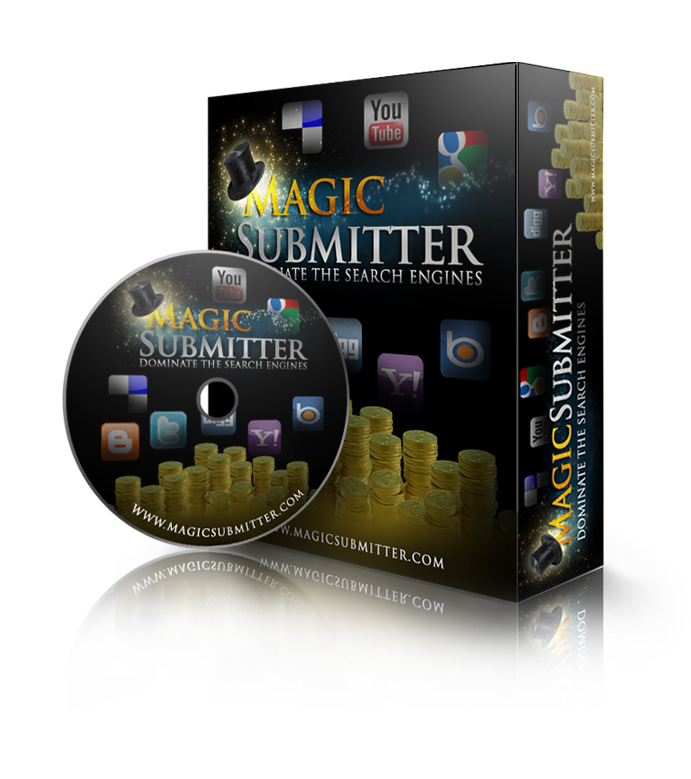
2. Magic Submitter 1.32


Keyword Elite 2.0 - SEO tool

A brand new multi-function search engine optimization (SEO) submitssion software package developed by Alexander Krulik. You can auto-bookmarks your links and submit to RSS feeds giving you even more backlinks and increased banking.


For more info >> Magic Submitter 1.32

Magic Submitter 1.32 - SEO tools
1. Search Engine Optimization PowerSuite

Search Engine Optimization PowerSuite - SEO tool

Search Engine Optimization Powersuite(SEO powersuite) can find most of profitable, secretly spy the hight competitors. SEO powersuite can monitor search engine rankings of an unlimited number of sites for an unlimited number of keywords.

For more info >> Search Engine Optimization (SEO) Powersuite


I got the download link on the internet. Follow the instruction on how to install.
Continue reading →
Friday, January 20, 2012

SEO and Positioning Tips- Boost your Ranking

0 comments
SEO and positioning your website to rank top spots in the search engines need some careful scheduling. Just like setting up a business or going to combat, it needs strategizing for optimal results. Diving straight into the internet without any clear game plan is time-wasting, dangerous and more often than not, a futile attempt to rank any website for maximum targeted traffic. Let’s dwell a little deeper into some useful SEO and positioning tips to get your web pages indexed and ranking faster.

1. SEO and Positioning Tip 1 – Determine Your Objective

What is your objective in optimizing your website? Is it for maximum general traffic or targeted niche traffic? Once again, webmasters are unable to get this part clear. Many think that driving as much traffic as possible to their websites is the way to go. Unfortunately, this is a big pitfall. A web site may attract loads of traffic but yet don’t perform as well as another with little traffic but making more sales. Know what your objective is, to sell more products or to get more people to visit your website. If you are building an interest-based website or hobby website, perhaps getting maximum general traffic is the right solution for you.

2. SEO and Positioning Tip 2 – Plan Your Keywords Right

This is applicable for all websites that intend to tap into free organic traffic. By that, I mean SEO and positioning high in search engines for specific keywords. One clue for you before you compile your keyword list is to understand that search engines rank individual web pages, not websites. The systematic way to do it is to first look at your objective of SEO and positioning. If you are targeting a niche market, for example SEO tools, target the niche keyword SEO tools for your home page, and drill into this main keyword for related keywords such as SEO Elite, effective SEO tools, etc to target for each internal web page.
Don’t make the mistake like many webmasters do in targeting one main keyword for the entire website. The smart approach to SEO and positioning is to target a list of low competition, moderate demand keywords and rank well for them. This would potentially drive more targeted traffic, than to blindly hit at one main keyword.

3. SEO and Positioning Tip 3 – Simple Well-Thought On-page Optimization

Use your keywords in the meta-tags, web page title, sub-headers and web content. Make your web content unique. A keyword density of 3-6% and word count of more than 400 words is ideal for on-page optimization. Create a sitemap page to make search engines spiders love your web pages. This helps in indexing the internal pages fast.

4. SEO and Positioning Tip 4 – Effective Off-page Optimization Techniques

Building link popularity of a website is far more crucial than any other factors for SEO and positioning for top search engine ranking. But pay attention to who your link partners are. Trade links with websites in a similar niche, and high Google PR if possible. Links from authority websites such as educational or government websites, ie domain names with .edu or .gov extensions are valuable. Buying links from link partners is perfectly fine if you can verify the quality of the websites. Search engines nowadays can be quite demanding and look for quality more than quantity of links.
Continue reading →
Saturday, January 14, 2012

Better page titles in search results

0 comments

navjot singh
Page titles are an important part of our search results: they’re the first line of each result and they’re the actual links our searchers click to reach websites. Our advice to webmasters has always been to write unique, descriptive page titles (and meta descriptions for the snippets) to describe to searchers what the page is about.
We use many signals to decide which title to show to users, primarily the tag if the webmaster specified one. But for some pages, a single title might not be the best one to show for all queries, and so we have algorithms that generate alternative titles to make it easier for our users to recognize relevant pages. Our testing has shown that these alternative titles are generally more relevant to the query and can substantially improve the clickthrough rate to the result, helping both our searchers and webmasters. About half of the time, this is the reason we show an alternative title.

Other times, alternative titles are displayed for pages that have no title or a non-descriptive title specified by the webmaster in the HTML. For example, a title using simply the word "Home" is not really indicative of what the page is about. Another common issue we see is when a webmaster uses the same title on almost all of a website’s pages, sometimes exactly duplicating it and sometimes using only minor variations.

Lastly, we also try to replace unnecessarily long or hard-to-read titles with more concise and descriptive alternatives.
For more information about how you can write better titles and meta descriptions, and to learn more about the signals we use to generate alternative titles, we've recently updated the Help Center article on this topic. Also, we try to notify webmasters when we discover titles that can be improved on their websites through the HTML Suggestions feature in Webmaster Tools; you can find this feature in the Diagnostics section of the menu on the left hand side.
Continue reading →
Friday, January 13, 2012

Make Your Blogger Blog SEO Friendly - Blogspot SEO Script

0 comments
Every blogger.com user wants their blog to be SEO Friendly. Since, we all know that using wordpress.org has many advantages in terms of SEO since they have available SEO plug-ins. That's why Wordpress is a SEO friendly in terms of blog platform.


Now, I would like to share a Blogger.com SEO Script to make your blogger blog SEO Friendly. You have a lot of SEO works to do in blogger.com than wordpress blogs. Because no available plug-ins for blogger blog compare to wordpress blog since a lot of plug-ins, you just search and install the plug-ins. 

By this Blogger.com SEO Script will make your blogger blog SEO Friendly. You don't need any professional knowledge. This Script will help you to getting better higher rank over SERP. What's on the Blogger.com SEO Script? 

The Auto SEO Script has following features:
  • Auto change Blog Page Titles for every post.
  • Auto insert Meta Description for every post.
  • Auto insert Meta Keywords For every Post.
  • Work for Monthly, Weekly and Daily Archives.
  • Work for each blog label.
  • Auto Meta Robot Tag
  • Author Meta Tag.
You only have to insert a Simple Code to your blog template.

Here are the steps on how to apply the Blogger SEO Script.

Step 1. You need to login of course.
Step 2. Go to your desired blog.(at Dashboard)
Step 3. Go to Template >> EDIT HTML >> Proceed
Step 4. Check "Expand Widget Templates"
Step 5. Find this code

<title><data:blog.pageTitle/></title>

Step 6. Change above code with the code showing below (Select code and press Ctrl + C buttons to copy code)

<b:if cond='data:blog.pageType == 'item''>
<title><data:blog.pageName/> | <data:blog.title/></title>
<b:else/><title><data:blog.pageTitle/></title>
</b:if>
<b:if cond='data:blog.pageType == 'archive''>
<title><data:blog.pageName/> | <data:blog.title/></title>
</b:if>
<b:if cond='data:blog.pageType == 'label''>
<title><data:blog.pageName/> | <data:blog.title/></title>
</b:if>
<meta expr:content='data:blog.pageTitle + ' – your blog description here (upto 200 charaters)'' name='description'/>
<meta expr:content='data:blog.pageName + ', Keyword 1, Keyword 2, Keyword 3, Keyword 4, Keyword 5"' name='keywords'/>
<meta content='Author Name Here' name='author'/>
<meta content='index,follow' name='robots'/>

Step 7. It's time to change some of this script.

     Change description, keywords, and author name as you like to more SEO friendly.

Hope you followed the steps on how to make your blogger blog SEO friendly. - Blogspot Script. Any problems with the script, don't hesitate to contact me.


Continue reading →
Thursday, January 12, 2012

The Top 8 SEO Basics You Need to Know

0 comments
Search engine optimization (SEO) is an important component of any successful website, but do you know your SEO basics as well as you should? Here are top 8 fundamentals that you absolutely need to know about search engine optimization:

Basic #1 - Content is King
Search engine optimization for beginners always begins with good content. This basically boils down to making good on what you promise with your website. Provide the information you claim to provide, supply the goods or services you advertise, and any good relevant information you believe will be useful to your website visitors.

Basic #2 - Selecting Relevant Keywords/Phrases
Keywords are phrases that a target web visitor is most likely to type into a search engine when looking for specific products, services, or information. This means the content provided in your web pages needs to be seeded with the right keywords. The right balance between relevance and words with less competition needs to be achieved. The most relevant keywords may be too competitive with other sites, while less competitive keywords may not get a large enough number of searches.

Basic #3 - URL Links Need to Be Relevant
The Uniform Resource Locator (URL), or website address link of a website and its subsequent web pages must be as relevant to the content as possible. For example, a URL of www.feldonsflashlights.com/types/LEDflashlights will be more effective SEO-wise than www.feldonsflashlights.com/folder3/00034.htm because the former web address spells out what is in the page content, "LED flashlights." Not only will the former URL be more attractive to search engines, but may also be easier for users to read and remember.

Basic #4 - Page <Title> Tag Must Match the Content
One of the most important and yet overlooked SEO basics is selecting a relevant title for the title tag of "each" page. It is imperative that the title be brief enough to fit in a small space but broad enough to effectively communicate the content of the web page. The title tag is very important because it tells the search engines what a page is all about. The title tag information shows up in the most upper-left hand corner of the computer screen for each page in a web browser.

Basic #5 - Use of the Description Meta Tags
Description meta tags go hand-in-hand with effective page titles because the description can be used to catch the attention of a web visitor. A good description meta tag and a call to action can convince a web visitor to actually click the link and enter the site. While some SEO experts have minimized the importance of this tag (because they say it is no longer important to search engines), the fact is that it is the text your web visitors see when they read your listing on the search engine results page and could be the one factor that gets a potential visitor to click or not based on what he reads.

Basic #6 - Use of Heading Tags (<H1><H2><H3>)
Once a web user lands on a page, he should see a relevant headline with keywords included that let him know he's in the right place! This is another one of those SEO basics that many website owners overlook. Heading tags count towards the visibility of a website on search engines because the keywords included in these tags tells the search engines what the page is all about.

Basic #7 - Importance of Image File Names and the Alt Text Value
Using keyword phrases when naming image files to match the content of a web page, as well as, using keyword phrases in the "alt" value of an image tag, adds significant SEO value to a web page when search engines filter through images on a web page. Rather than naming a file something like, "picture2.jpg"-a much better file name for a search engine may be something like, "LED-flashlights-small.jpg" and including the same phrase as the image tag "alt" value.
This would look something like: alt="Small LED Flashlights"

Basic #8 - Keep Learning...SEO is Always Changing!
Just like everything else in technology, the Internet is always changing-so is search engine optimization. This makes it important for anyone with a business web presence to continue to learn about changes in SEO and keep their website updated accordingly.
Keeping all these SEO basics in mind should arm you with the basic foundational knowledge needed to get you started in search engine optimization for your business website.
Angeline Plesek is the owner of WebPageMarketingBasics.com...as a web developer and freelance copywriter, she realizes the importance of web page optimization and how it relates to the bottom line for all business owners that have an online presence. It isn't just about how a website looks--there is more to improving conversion rates online.
By Angeline Plesek
Continue reading →

Optimizing With Google Analytics

0 comments
In your journey to become an internet business master, one of the most important things to learn is how to use web analytics. Analytics data is useful for optimizing your content, specifically in keyword ranking, landing page development, visitor retention, social engagement, and more. But in order to use analytics data, you must first understand analytics data. Each week I will add a way to use Analytics to benefit your websites; this week is keyword ranking. Here is a rundown of what metrics to use for keyword ranking and search engine optimization using Google Analytics.
Keyword Ranking Part I
Google Analytics is extremely helpful for this type of work and has not only provided traffic source data but also information specifically tailored to search engine optimization. In the traffic sources menu, you can see the number of visits that came from the organic traffic medium, which means that visitors used a search engine which displayed organic (non-ad impression) search results that included a page on your website. If you have a lot of visits using the organic search medium, it could indicate that your website's pages are ranking for some search query (usually in the top 3 pages). You can view the keywords that were being searched to identify exactly which terms you may be ranked for or should be optimizing to rank for.
Once you are ranking for some keywords, Google Analytics can also display information for the number of impressions that your site has within search results. An impression, in this situation, is simply the presence of your site's url within any search result display. For some keywords your site may be ranking multiple times (but with different pages at each ranking position) and more than one keyword can be ranked to the same page(s). Analytics also shows the number of clicks on those impressions, the average position within search rankings (numeric value), and the click through rate (CTR), which is the percentage of clicks out of all impressions. Low CTR's could indicate that you should improve the quality of the meta description of your site's pages. The meta description is the short trail of information that appears directly below the title of your listing in search results.
To sum up, these are the specific metrics that you should be looking at when performing an analysis for keyword ranking:
  • Medium - the means through which visitors were sent to your site; this is not the technology used with the internet browser. Examples include organic, referral, and email.

  • Keyword - what keyword phrase were searched when traffic was sent organically Queries - what search query was entered when your site appeared in search results

  • Impressions - the number of times a page from your site appeared in search results

  • Average Position - the average search position that a page from your site is ranking for a given keyword; this is a numeric value which is created by averaging the ranking of your site over the course of the time period you are viewing data for.

  • CTR - this is the click-through-rate of your impressions; it is given as a percentage, and is calculated by this equation: (Clicks/Impressions) 100
By Hana Omori
Continue reading →

The Secret Behind SEO Link Building Services

0 comments
When the concept of computers was first introduced to the market, they were mainly used for office functions. Today, the internet is widely used to run businesses. For anyone running an online business, it is essential to make the most of SEO link building services. There are many companies that offer these services but the question is what is secret behind these services? There are two major benefits of SEO link building services and they include:
- They allow for increased web visibility or top ranking in search engine systems.
- They also help to generate quality traffic to a site hence, increased productivity and profitability.
When running a business online exploring these services is one of the best decisions that you can ever make. This is because different search engines identify a site by the type of links it has. As a matter of fact, a site that has quality back links gets top ranking than a site with poor back links. Therefore, getting the services makes your website more visible, for top ranking and a cutting edge against relevant competitors.
Additionally, the services play a crucial role in determining how long you are going to be in business online. A site that has poor back links is at risk of getting loses. In some instances, low ranking can mean permanent expulsion from top engines. Therefore, take time to find the best services and prolong the life of your business online.
What's more, the services help you to trade profitably. SEO campaign is very important in that, it helps a business to get the best traffic. It makes your website highly functional and more appealing to target prospects. For this reason, they will often visit the site to discover the kind of products and services that you provide. In addition, clients always love pages that load faster. Quality back links direct clients instantly to the kind of information or service they are looking for. Therefore, the services help you to make the most of SEO and link building campaign, so as to run a business successfully.
The cost of getting these high quality SEO services can be relatively high depending on the needs of your website. Even so, there are many companies that offer cheap link building services online. Explore them and make your site more visible. Most importantly, settle for quality cheap link building services for effective solutions and better results.

By Ali Raza
Continue reading →
Friday, January 6, 2012

Twitter to Publicly Release its Web Analytics Tool

0 comments
Twitter, is one of the most winning social networking websites, will soon roll out its own Web Analytics Tool for all twitter users.

This Web Analytic Tool is a helpful tracking tool designed to assist website owners, internet marketers and SEO experts to analyze and monitor the effectiveness of their Twitter Marketing Campaign and Tweet Button Integration. With this tool, they can able to understand how much their website content is being shared across the Twitter network and see the traffic stats they receive from Twitter.

Twitter Web Analytic Tool is powered by Back Type, a comment turned social analytic platform acquired by Twitter last July.

At this time, this tool is in beta and it can be used for free. A small group of its partners will be the first to get an access and start to use Twitter Web Analytic this week and in the coming few weeks, Twitter will release it to all website owners.

For those web developers, Twitter has some good news as they will also soon provide Twitter Web Analysis API to let them incorporate Twitter data in their products.
Continue reading →
Thursday, January 5, 2012

Track SMO Activity Using Google Analytics & Webmaster Tools

0 comments
Google & its web analytics tool known as “Google Analytics” as well as “Google Webmaster Tools” are continuously becoming much advanced by adding up more and more awesome features to provide better client understanding.

Now again both are enriched with new tools to track social media activities. Now you can utilize them to track the impact of tweets, facebook likes, Google plus & a lot more.

If you logged in to your Google Webmaster Tools account you will see that there’s a “+1 Metrics” section.”+1 Metrics” provides reports on the impact of the +1 Button on search. The new analytics tracks the amount of +1s on a given page and show how +1s affect your website’s click through rate (CTR).

The new Activity Report and an Audience Report also added to Google Webmaster Tools. The Activity Report shows the number of +1s your website or webpages have received as well as the Audience report shows the geographic and demographic data about website visitors who have clicked on Google’s +1 button for your website pages.

Google has also introduced a very useful new Social Plugin Tracking tool for Google Analytics. This new social plugin tool can be utilize to compare the impact of various types of social media activities on your website. Along with +1s, it also tracks Twitter tweets, Facebook Likes, Facebook shares etc.

The new Social Plugin Tracking Tool generates three types of reports:

1. Social Engagement- It tracks behavioral changes (time spent on website, page views, bounce-rate, etc.) for visits from social plugins.
2. Social Actions- It tracks the number of social media activities users take on your site.
3. Social Pages.- It is used to compare the number of social media activities received on your website.

Its worthful to track social media as social media sites drive a lot of the website traffic.

Social media tracking from Google, just came after launch of Google’s +1 so, we can also say its Google strategy to show the importance of its +1 along with other social media sites. However, these new features from Google provide a great deal of more details and the impact of social media activites to the website owners on their websites.


Continue reading →
Tuesday, January 3, 2012

One Way Link Building

0 comments
You will find basically two various kinds of links, one way back links and reciprocal hyperlinks. There tend to be other more complicated link creating techniques however the first two would be the major kinds that a person with a website could possibly get without treading as well closely towards the out skirts from the sandbox.

Reciprocal linking is actually a hyperlink exchange in between two web sites. Website 1 places a hyperlink to web site two, as well as vice versa, and may consist of the text hyperlink or picture ad in between each web site. However recently these kinds of links are now being considered much less valuable than the usual one method link by search engines like google. You may be asking your self, "Why trouble then? inch, and obviously that's a great query that deserves a solution. In yesteryear a reciprocal hyperlink was merely counted like a link by search engines like google regardless of what, so what started to happen with time was which totally not related websites changed links to control search results. For instance, a web site about unique cars had been exchanging links having a website regarding house painting simply to gain a hyperlink.

Search motors have evolved to the stage that these people now understand that a person trying to find exotic vehicles probably doesn't worry about house piece of art, so this kind of link trade is seriously discounted. Search engines wish to provide the perfect results within the top 10 to presently there users, and therefore a website having a few great relevant backlinks will right now out execute a website along with many unimportant links. What this particular boils right down to is the reciprocal hyperlink can nevertheless serve an objective towards not just getting competent traffic aimed at your website but also internet search engine consideration when the two web sites that hyperlink together tend to be related in some manner. An example of the would be when the exotic vehicle website changed links along with say a good exotic pickup truck website, or the home painting web site exchanged having a home renovator web site.
Continue reading →
Related Posts Plugin for WordPress, Blogger...